

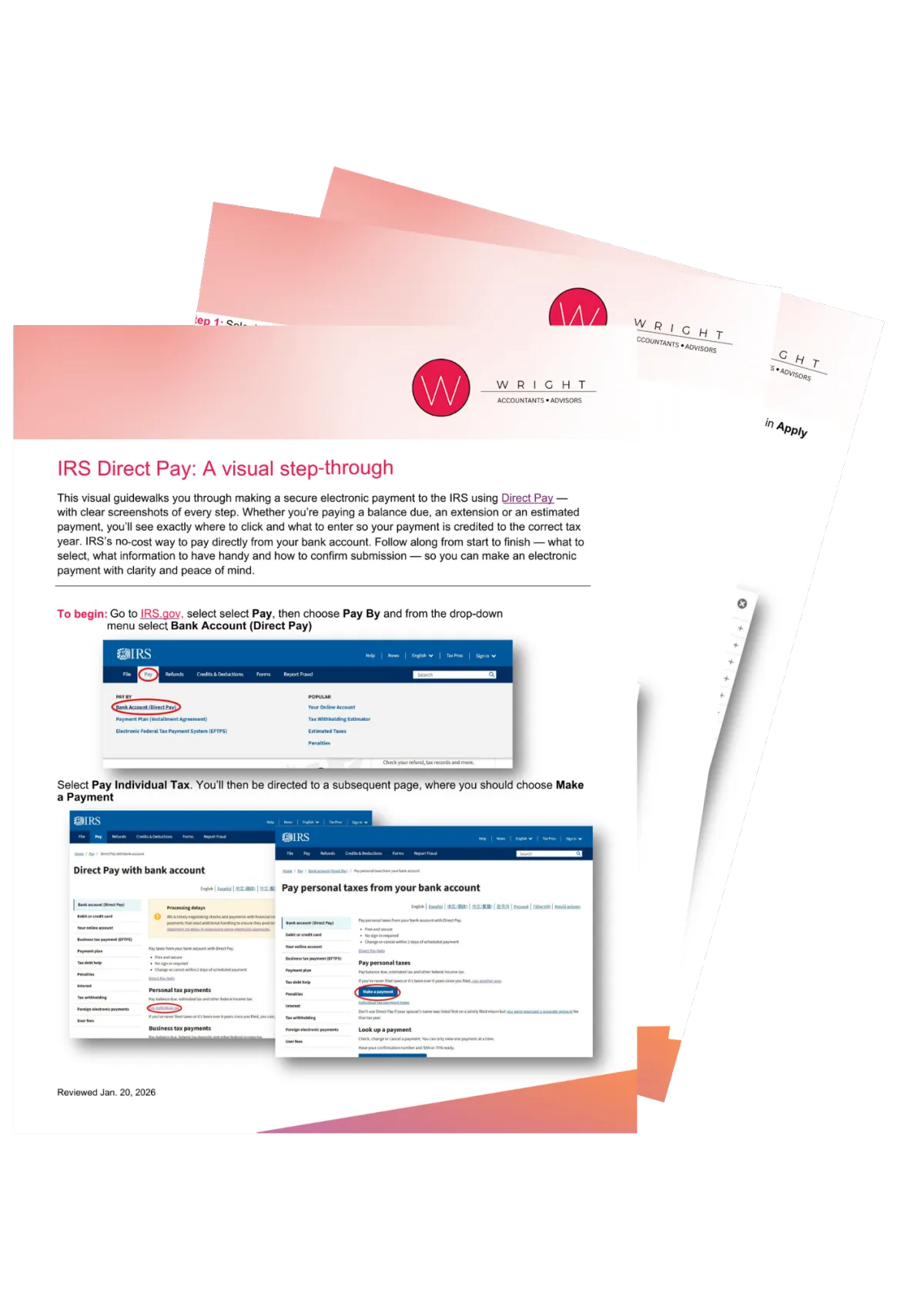
IRS Direct Pay: A Visual Step-Through
A Clear, Screenshot-Based Guide to Making Secure IRS Payments Online
Making an IRS payment shouldn’t feel stressful or confusing.
But one wrong dropdown selection, incorrect tax year, or missing verification detail can delay processing — or apply your payment incorrectly.
That’s why we created a simple, visual, step-by-step guide to help you navigate IRS Direct Pay with clarity and confidence.
What This Guide Helps You Do
This free resource walks you through the exact process of paying the IRS directly from your bank account using IRS Direct Pay.
Whether you’re submitting:
A balance due payment
An estimated tax payment
An extension payment
Or another individual tax payment
You’ll see exactly where to click, what to select, and what information to have ready.
No guesswork.
No unnecessary stress.
IRS Direct Pay: A Visual Step-Through is nearly in your inbox
Inside the Guide
✔ Screenshots of each step inside IRS Direct Pay
✔ Clear instructions on selecting the correct “Reason for Payment”
✔ Guidance on applying payment to the correct tax year
✔ Identity verification instructions
✔ Bank account entry walkthrough
✔ Electronic signature and authorization guidance
✔ Confirmation page review tips
We also include a checklist of everything you need before starting, including:
Type of payment being made
Applicable tax year
Payment amount
Bank routing and account numbers
Personal information for identity verification
Email for confirmation
Having this organized in advance prevents delays and verification issues.

At Wright CPA, we believe tax compliance should feel structured not overwhelming.
When you understand the process, you reduce errors, prevent delays, and stay in control of your financial obligations.
If you ever have questions about estimated payments, tax planning, or overall strategy, our team is here to help.,
- Tom Wright, CPA, MST, CFO, Founder
Why This Matters
IRS Direct Pay is a no-cost way to submit payments securely from your bank account.
But the system requires accuracy.
Selecting the wrong payment type or tax period can create unnecessary correspondence with the IRS — and correcting mistakes can take time.
This guide ensures your payment is credited correctly the first time.
Who This Is For
This guide is ideal for:
Business owners making quarterly estimated payments
Individuals submitting balance due payments
Taxpayers filing extensions
Clients who prefer to handle IRS payments directly
If you want clarity and confidence when submitting an electronic IRS payment, this resource is for you.
Certified QuickBooks ProAdvisors You Can Trust


At Wright CPA’s, we don’t just “use” QuickBooks — we’re certified experts across every major version of the platform. That means no matter how your business is set up, we have the skills and credentials to support you.